 Semblance
AI Rhinoplasty Before & After
Rhinoplasty, previewed on your own face.
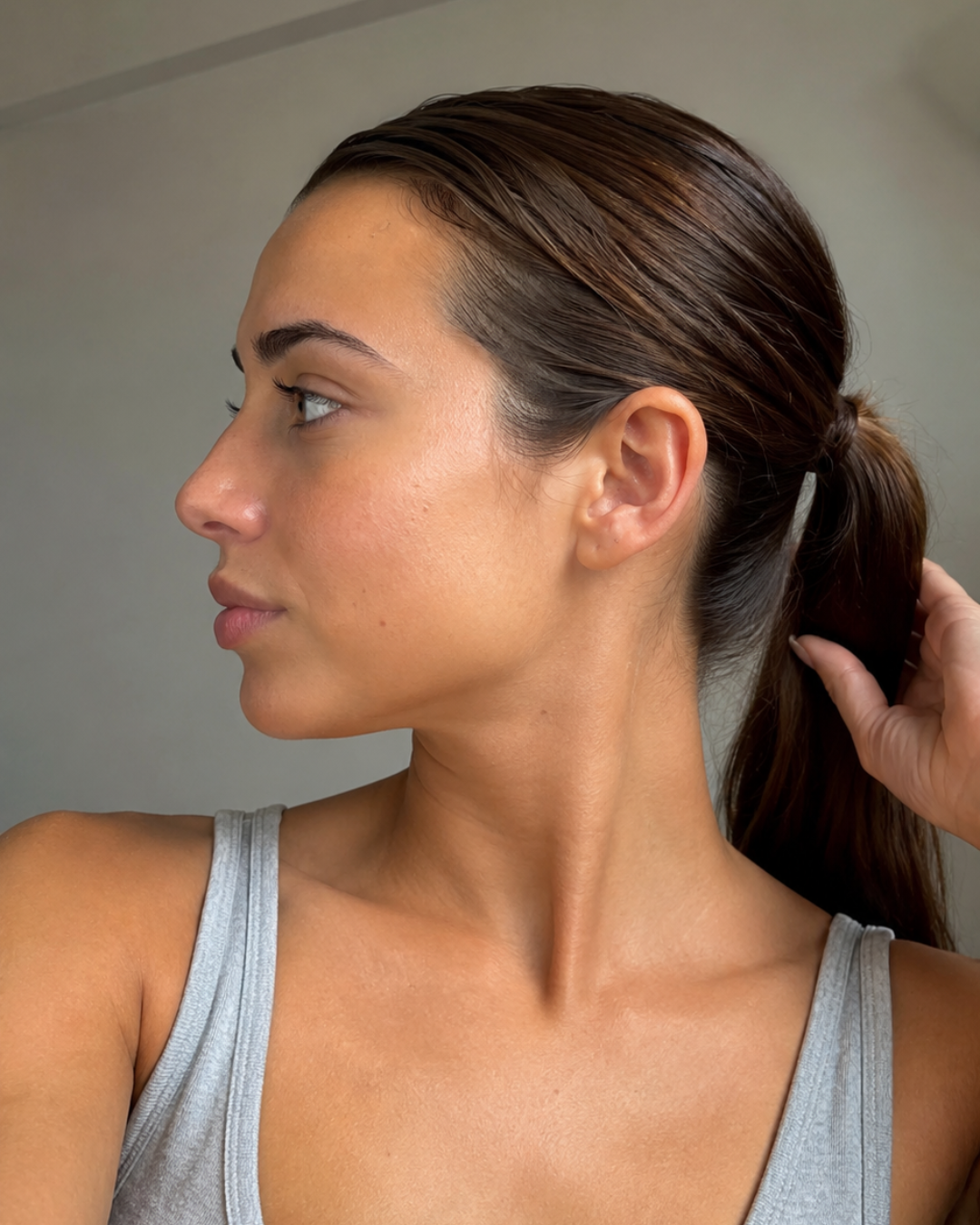 After
After
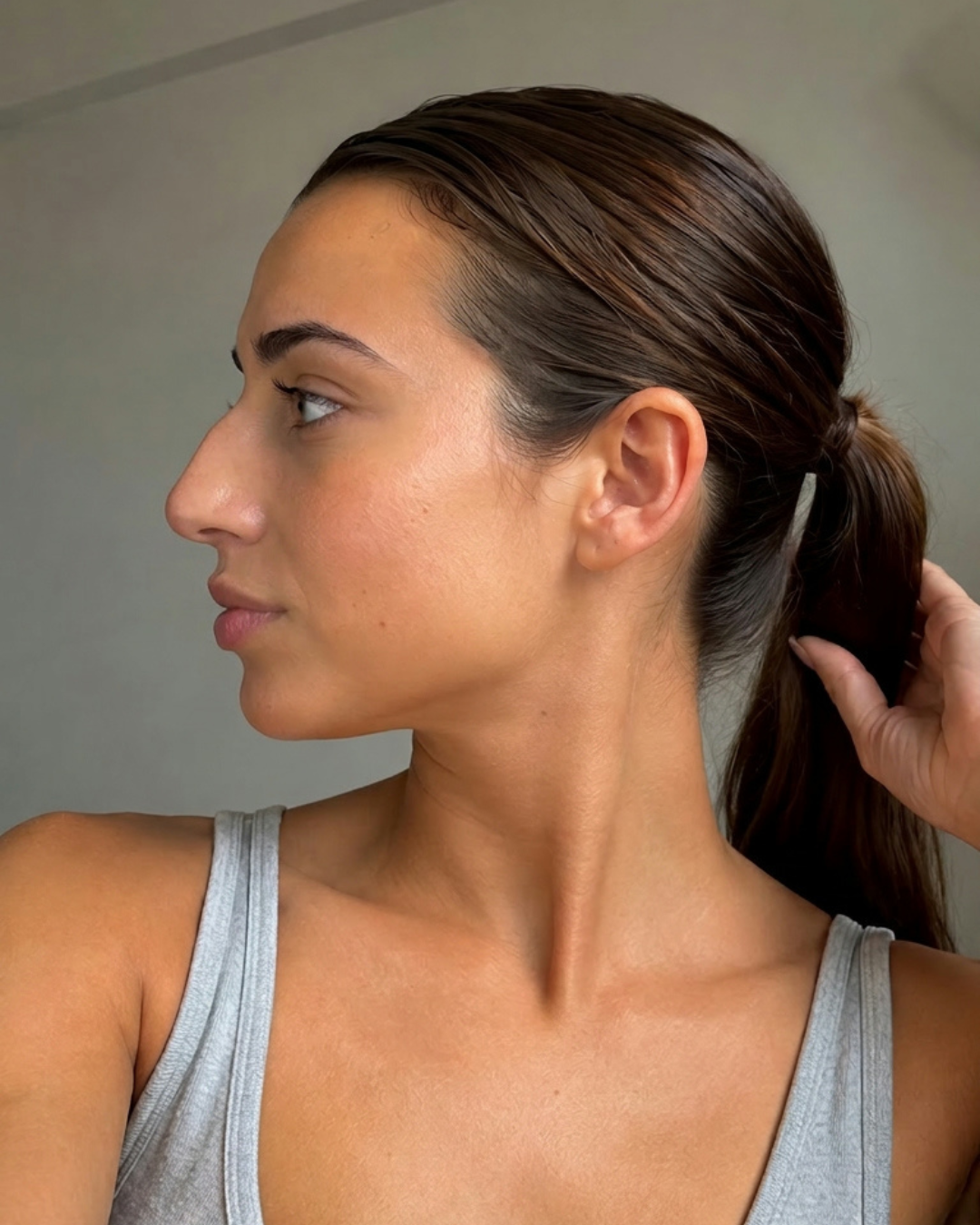 Before
◇ AI-generated visualization for exploration only — not medical advice or a guaranteed outcome.
What a rhinoplasty preview shows you
Bridge & profile. See a straighter or softer profile line from the side, without a dorsal hump exaggerated or removed beyond what reads as you.
Tip refinement. Preview a more defined or rotated tip and how it balances with your lips and chin.
Overall harmony. Because Semblance preserves your identity, you see your face — just with the nose dialed in.

In short
A rhinoplasty preview from Semblance is a realistic, identity-preserving visualization of how your nose could look after rhinoplasty, generated from a single photo. It previews changes to the bridge, tip, and profile while keeping the rest of your face recognizably you. It is an AI visualization for exploration only — not a surgical plan or a guaranteed result.
Not just a nose filter
Generic photo filters reshape your whole face with a one-size-fits-all effect, and often distort your features in the process. Semblance previews one specific change at a time — in this case, rhinoplasty — and is built to preserve your identity, lighting, and the rest of your photo exactly as they are. The result is meant to look like a real possible direction, not a filter effect.
How a rhinoplasty preview works
Upload one clear photo — straight-on or side profile both work well for rhinoplasty.
Choose Rhinoplasty as your look in the app.
Get your AI preview in seconds.
Rhinoplasty FAQ
Common questions about nose previews.
What does an AI rhinoplasty preview actually show?+
It shows a plausible visualization of your nose with common rhinoplasty changes — a refined bridge, a more defined tip, a smoother profile — rendered on your own photo so the rest of your face stays recognizable.
Will my nose really look like this after surgery?+
Not necessarily. A real result depends on your anatomy, your surgeon, and healing. Semblance shows a direction to explore, not a surgical outcome you can count on.
Can I preview both a subtle and a dramatic change?+
Yes. In the app you can adjust how much refinement to apply, from a barely-there tweak to a more pronounced reshape, and compare them side by side.
Is a nose preview useful before a consultation?+
Many people find it helps them describe what they want. Bringing a clear visual reference can make a conversation with a qualified surgeon more productive — though it does not replace their assessment.
Does it work on side-profile photos?+
Yes — for rhinoplasty, a side-profile photo often shows the change most clearly, since the bridge and tip are easiest to judge from the side. A straight-on photo works well too. Either way, good lighting and a neutral expression give the best result.
Is this just a nose filter, like a social media effect?+
No. Social filters apply a generic, real-time distortion. Semblance generates a one-time, considered preview for the specific procedure you choose, designed to keep the rest of your face looking like you.
Related looks