 Semblance
See Your
Before & After
In One Photo
Realistic previews for cosmetic and looksmaxing changes.


The #1 looksmaxing & cosmetic preview app — see your glow-up before you commit.
★★★★★ 4.9 · App Store
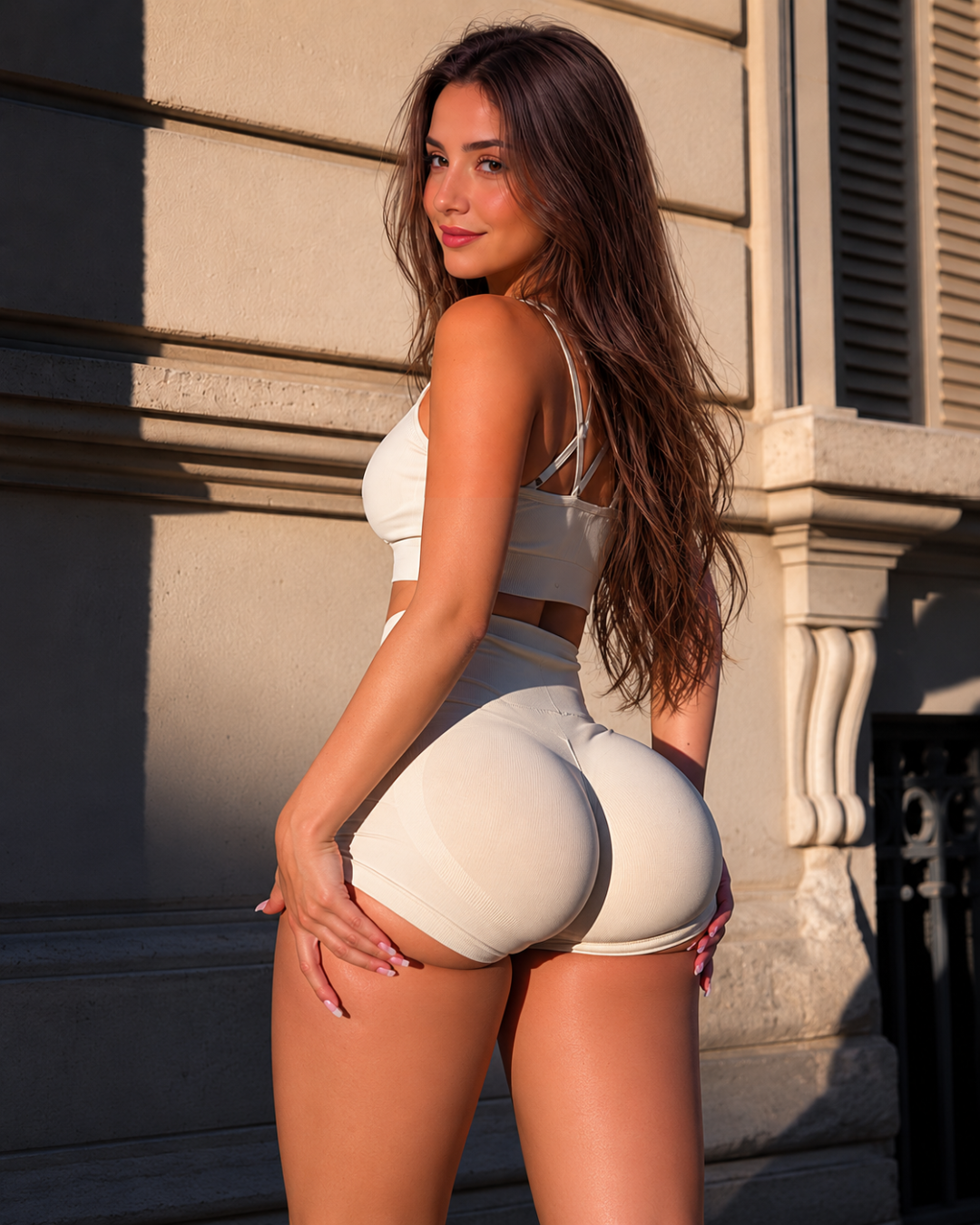 After
After
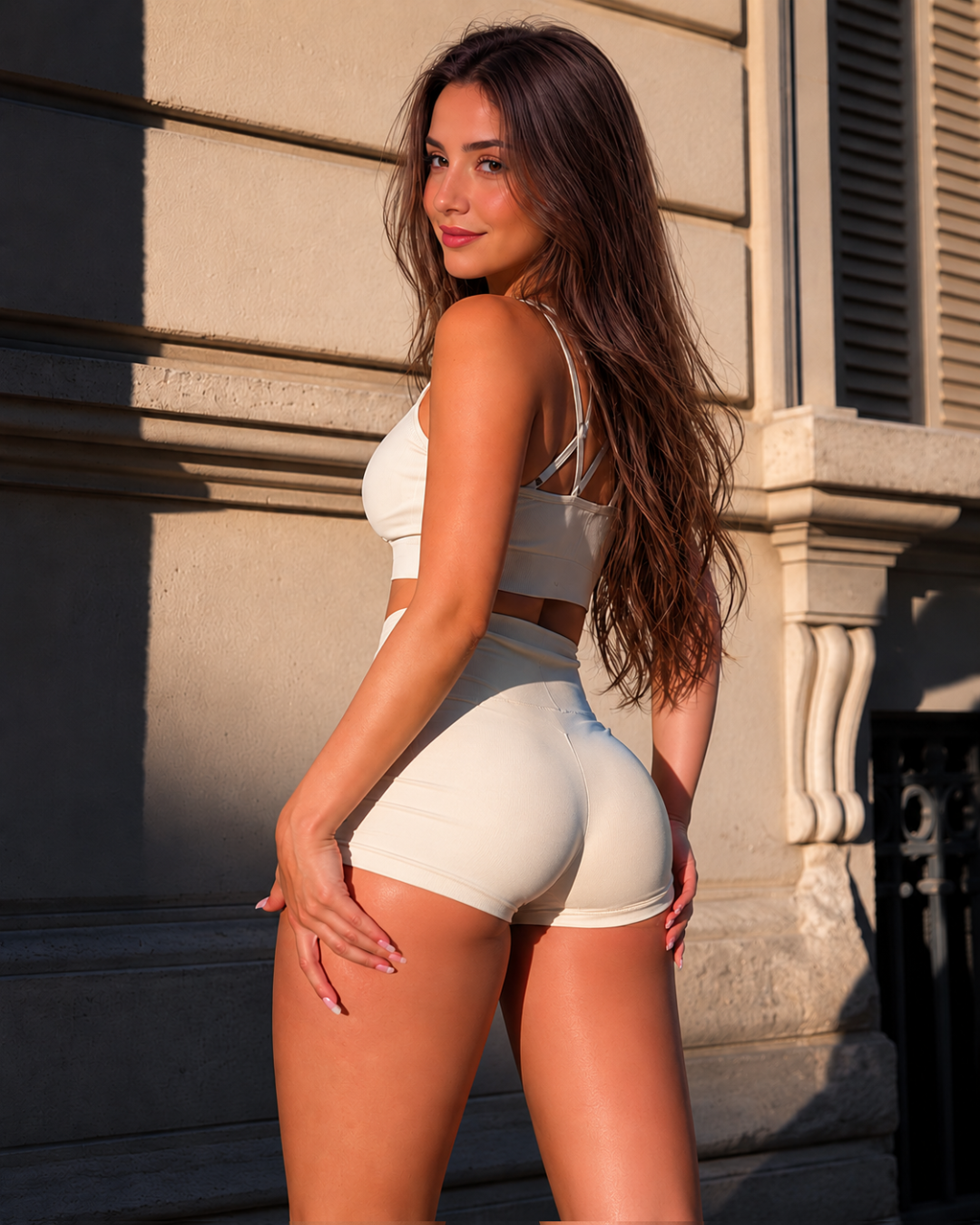 Before
◇ AI-generated visualization for exploration only — not medical advice or a guaranteed outcome.
How it works
Three steps, about a minute.
01
Upload one photo
A single clear, front-facing photo is all Semblance needs to get started.
02
Choose a look
Pick from 16 face and body looks — and adjust the intensity to taste.
03
See your preview
Get a realistic, identity-preserving before/after in seconds. Drag to compare.
What you can preview
From a subtle refinement to a full transformation.
Semblance previews 16 face and body procedures from a single photo, with new in-depth guides added regularly.
Face
Refine the bridge, tip, and profile
Lip fillerGuideAdd volume and shape to the lips
Preview a brighter, even smile
Sharpen and define the jawline
Reduce under-chin fullness
Project and balance the chin
Smooth fine lines and wrinkles
Shorten a high forehead
Reduce under-eye hollows or bags
Lift and open the eye area
Slim and contour the cheeks
Add lift and cheekbone definition
Raise and refresh the brow line
Body
Preview an overall silhouette change
Add volume, lift, and projection
Hair restorationGuidePreview a fuller, lower hairline
FAQ
Questions, answered plainly.
What is Semblance?+
Semblance is an iOS app that turns a single photo into a realistic, identity-preserving before-and-after preview of a cosmetic or aesthetic change — from rhinoplasty and lip filler to jaw definition and hair restoration.
Is this a real medical prediction?+
No. Every preview is an AI-generated visualization meant for exploration only. It is not medical advice, a diagnosis, or a guaranteed outcome, and it is not a substitute for a consultation with a qualified professional.
How accurate is the result?+
Semblance is designed to preserve your identity and show a plausible direction, not to promise a specific surgical or treatment result. Think of it as a way to picture a change and start a more informed conversation.
Can I use it for looksmaxing, not just surgery?+
Yes. Many people use Semblance to explore non-surgical and aesthetic changes — jaw definition, hair restoration, skin and feature refinements — alongside looks like rhinoplasty or veneers.
What is hardmaxing?+
Hardmaxing is a term used in looksmaxing communities for invasive or surgical changes to appearance, such as rhinoplasty, jaw surgery, or orthognathic procedures — as opposed to non-surgical methods.
What's the difference between softmaxing and hardmaxing?+
Softmaxing covers non-invasive changes like skincare, grooming, posture, and styling. Hardmaxing covers invasive or surgical changes. Semblance previews can apply to either category — they're exploratory visualizations, not a recommendation for one approach over the other.